Deformation
-
Menu -> Image -> Deformation
-
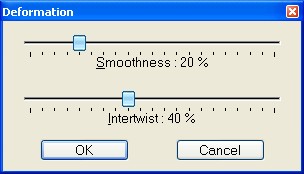
Use this function to deform the texture. The image background or the
selected layer will be distorted.
-
-
Smoothness
-
You can change the smoothness to take control over the small
structures of the texture.
-
Lower values decrease the small structures - the image gets less
rough.
-
Higher values increase the small structures - the image gets coarser
rougher.
-
-
Intertwist
-
You can change the value of twisting of the structure (0% means a
very simple twist, 100% means the most complex).
-
-
-
-