Replace
Colors
Menu -> Image -> Replace Colors
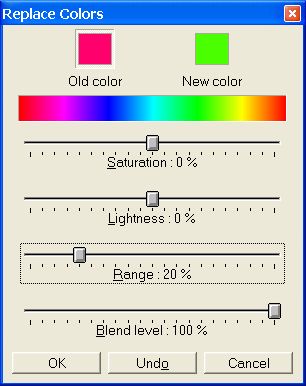
- The replace colors enables you to replace one
color with another color. Depending on the range you set, you can
replace just one color or shift an entire image from one color range
to another. You can set the hue, saturation and lightness for the
new color.
-
-
Old color
-
Show old color to be replaced
- New color
-
Show the new color selected.
- Hue Selector

-
You can choose a color with the hue selector.
-
Select a color box (old or new) and click with the pipette in the
hue selector.
-
Saturation
-
Saturates or desaturates the new colors of an image. If the new
colors are 100 % desaturated, this part of the image will appear in
grayscale.
-
Lightness
-
Lightens or darkens the new colors of an image.
-
Range
-
You can set the range of tolerance for the similar colors which must
be modified.
-
Blend Level
-
Level of mixing between the old color and the new color.
-
You can combine the range and the blend level to obtain the best
result.
-
Undo / Redo
-
Use this button to compare results.
- How to
modify the colors
-
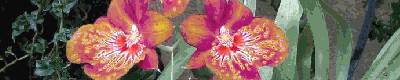
With
the Replace Colors tool -