Frame or Mask Parameters
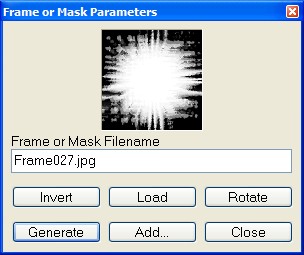
- You can add a frame or modify the transparency
mask of the selected layer or the image background.
-
-
-
Load
-
To modify the frame filename, click Load button, select the frame
file you want to apply, and click Open.
-
Generate
-
Apply the frame or the mask to the image.
-
Invert
-
You can invert the mask that will be applied.
-
-
Rotate
-
You can rotate the mask that will be applied.
-
-
Add…
-
Show Add to ToolPalette dialog box.
-
Add this frame or this mask to the ToolPalette.