3D Preview
-
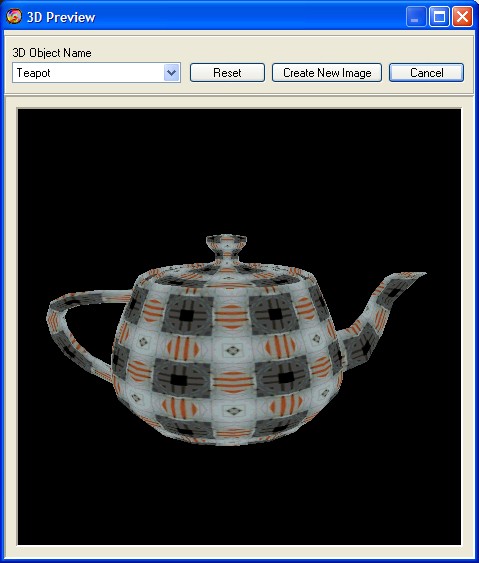
Menu -> View -> 3D Preview
-
You can preview an image on specified object in three dimension.
-
Rotate the object around X-Y axes by clicking left mouse button and
zoom it by clicking right mouse button.
Make also a double click
to change the specular light mode. -
-
3D Object Name
-
You can change the selected object for 3D preview.
-
-
Reset
-
Reset the object to initial state.
-
-
Create New Image
-
Convert image of 3D window as a new image.
-
-