Variations
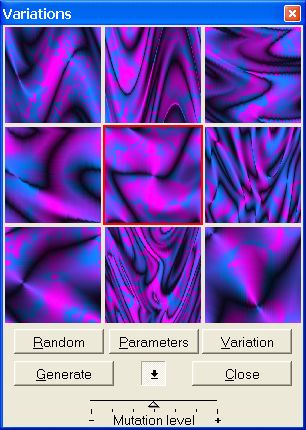
- Thumbnail Previews
-
You can select a preview to apply to the texture.
-
Click twice for a direct use or you can also try the buttons if you
wish to modify the image first.
-
You can also, right click on the thumbnail previews to open a popup
menu, and choose a function.
-
Random
-
Randomize the thumbnail previews.
-
Use this to refresh the preview with new samples.
-
-
Parameters
-
Show Parameters dialog box.
-
You can modify all parameters of the texture shown by the preview
selected.
-
-
Variation
-
Select a preview and click the variation button to create a new
mutation derived from the preview selected.
-
-
Generate
-
Apply preview selected texture to the image.
-
Select another preview and repeat generate if necessary.
-
-
Change Mutation Level

-
You can change the mutation level with the slidebar, then click to
random to view the result in thumbnail previews.